Key Takeaways
-
A little workplace ergonomics goes a long way in minimizing standing-day flare‑ups.
-
By promoting healthy posture, frequent movement, and strategically using supportive gear, you can reduce all the usual stand‑day flare-ups — lower back pain, sore feet, and joint stress — to a minimum.
-
Workstation tweaks, supportive floors, shoes, and active posture have become de rigueur for comfort and productivity among code monkeys and bibliophiles alike.
-
Customizing ergonomic solutions and cultivating good personal habits makes you a more effective worker and less likely to get hurt.
-
Building good ergonomic habits with habit cues and continuous feedback promotes a culture of safety and improvement.
-
Follow‑up coaching, team‑based implementation, and periodic workplace ergonomics analyses deliver sustained improvements and flexibility for different work contexts.
Workplace ergonomics to minimize standing-day flare-ups, in other words, is the practice of arranging work tasks, tools, and spaces to reduce strain for those who stand for extended periods. If you stand a lot at work, say in retail, healthcare or food service, you’re likely to experience sore feet, legs or lower backs by day’s end. Mats with a bit of give, supportive shoes, and chair breaks can all help to reduce this pain. Tiny shifts, such as moving frequently and shifting your stance, can help. Others use footrests or lower worktables. To discover what works best, it pays to understand what sets off your pain and experiment with various configurations. The paragraphs below reveal additional tips and suggestions.
Ergonomic Importance
Ergonomics crafts a more secure and robust work environment, particularly for long-standing warriors. Smart ergonomics reduces injury and keeps people safe and effective. By reducing the risk of MSDs, such as carpal tunnel or rotator cuff injuries, ergonomics aids in safeguarding both health and work output. Daily rituals and ergonomic workspace design–the posture, the movement, the tools–collaborate to stress-proof workers.
Health
Good posture keeps the body aligned correctly, alleviating discomfort associated with standing or sitting for too long. It prevents bad habits that could cause chronic pain or other long-term health complications.
Bad posture can do more harm than give you back or neck pain—it can reduce circulation, cause breathing problems, and even saps your creative capacity. Being stagnated in a single location for hours decelerates the body and this can accumulate, resulting in exhaustion and chronic problems. Taking the time to stretch and walk around boosts circulation, keeps your muscles loose, and prevents these issues before they begin. It’s clever to train workers in correct lifting to keep back injuries down.
Productivity
Ergonomic workspace equals less aches and pains, which in turn lets people focus more and work more quickly. When tools and equipment are the right fit for the job and the worker, it’s easier to do the work correctly with less effort.
Greater retention results from employees who feel comfortable and protected on the job, which can help keep them in place much longer and reduce turnover. When strain is low, we can get our work done with fewer breaks and less risk of error.
Ergonomic chairs, sit-stand desks and well-placed screens can all make a huge impact in how easily work gets done.
Well-being
A pleasant workspace boosts spirits and promotes health. Ergonomic shifts, such as adjustable desks or anti-fatigue mats, make individuals feel taken care of.
Breaks to move and stretch don’t just ease aches—they clear the mind as well. Good habits, embedded in to the daily grind, keep body and mind fit.
A properly-attuned ergonomic environment can reduce stress and make people feel good at work.
Common Flare-Ups
These types of mid-day flare-ups can throw our day out of whack and make it rough to get through the day at work. They are typically caused by bad workplace ergonomics, repetitive motions, extended periods of standing or even prolonged periods of sitting with minimal movement. Knowing how these problems initiate and present themselves in the body is a commencement to controlling and avoiding them.
|
Flare-Up Area |
Ergonomic Cause |
Example |
|---|---|---|
|
Lower back |
Poor posture, bad lifting, weak core |
Slouching, heavy lifting |
|
Feet & ankles |
Inadequate support, hard surfaces |
Flat shoes, hard floors |
|
Knees & hips |
Locked knees, poor alignment |
Standing still, awkward bends |
|
Neck & shoulders |
Awkward desk setup, hunching |
Low monitor, reaching |
Lower Back
Low back pain is the number one cause of work-related disability in individuals less than 45 years old. It drains efficiency and diminishes joy. Maintaining a neutral spine is the secret to preventing lower back flare-ups. Neutral, meaning the back remains in its natural curve, not bent or twisted. When lifting, bend your knees and keep the load close. Poor lifting habits can trigger strains or worse. Supportive seating can save you—say, a chair with lumbar support. For the standers, a stool or leaning seat can provide relief. Routine stretching — think easy forward folds or knee-to-chest stretches — maintains a loose back that’s less prone to locking up.
Feet & Ankles
Too much standing causes tired, sore feet and swollen ankles. Good shoes with arch support are essential. Flat, unsupportive shoes or worn out soles make matters worse. Just like in the kitchen, anti-fatigue mats soften your unyielding floor and reduce aches. Stretching the feet and ankles improves circulation and relieves rigidity. Easy to do motions such as ankle circles or toe raises are effective. Just being mindful of how you stand, maintain even weight on both feet and don’t roll in or out, limits the possibility of flare-ups.
Knees & Hips
Knee and hip pain commonly begins with bad posture or insufficient movement. Ergonomic tweaks such as adjusting desk/work surface height minimize stress to these joints. Thigh and hip strengthening exercises offer more support and stability. Shifting positions—from standing to sitting or shifting weight—prevents joints from stiffening. A footrest or small stool lets you shift your weight, relieving pressure on the knees and hips.
Neck & Shoulders
Standing straight keeps the neck and shoulders relaxed. A desk set at the proper height and a monitor at eye-level avoid neck strain. Easy shoulder rolls and neck stretches relax tightness, particularly post marathon work sessions. Short, regular breaks reset posture and reduce tension.
Ergonomic Solutions
Ergonomic strategies aim to instead sculpt workspaces and habits to reduce the likelihood of pain and injury, particularly for those who stand for prolonged periods. Good posture, flexible equipment and steady movement are the key to comfort and health. From offices to construction, practically every industry can take advantage of these steps. Here are practical ways to cut down on flare-ups during standing days:
-
Adjust desks to elbow height for a 90-degree angle at the arms, keeping wrists straight. Adjustable chairs give spine support and help set good posture. Monitors should sit at eye level or lowered by 2–5 cm for neck comfort. Use ergonomic keyboards and mice to avoid wrist pain and lessen the chance of carpal tunnel or tendinitis. These changes fit most body types and can be checked with regular workstation reviews.
1. Workstation Adjustments
Make sure your desk height is adjusted so that your elbows are bent at 90 degrees, and your arms rest easy. Adjustable chairs are a requirement for good lumbar support and an erect spine. Position monitors so you look directly forward. This may involve dropping the screen slightly, which relaxes neck muscles. Ergonomic keyboards and mice are an investment that’s worth it to not get hand and wrist problems. These are easy measures but they have a huge impact on what you experience at the end of a long day.
2. Supportive Flooring
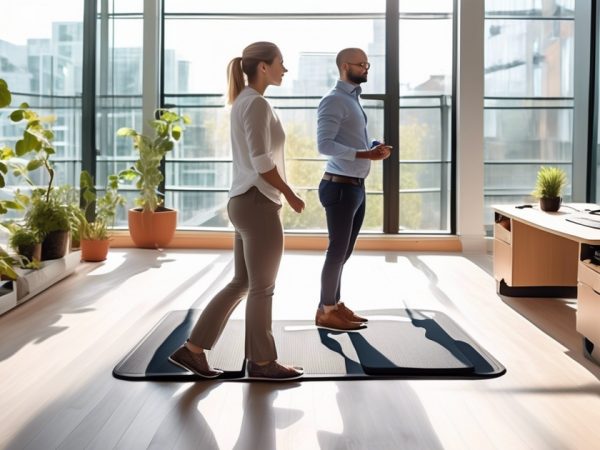
Anti-fatigue mats reduce tired legs and aching feet for standing employees. Softer flooring such as rubber or cork provide additional cushioning. It’s wise to inspect floors for wear or danger frequently, ensuring the surface remains secure and comfortable. The nature of work performed should determine your choice of mats or flooring. If you have a profession that involves a significant amount of standing, these mats can assist you quite a bit with comfort.
The right type of floor can save your joints in the long run. Even hybrid sit/stand jobs gain from foot support.
3. Proper Footwear
Arch-support shoes prevent foot and leg pain. Clogs or cushy sneakers fit many workplaces. Others find inserts or compression socks increase comfort even more. Choosing comfort over style is a must when it comes to footwear.
4. Active Posture
Maintain an engaged core and shift weight frequently. Pay attention to your posture—no locked knees or hunched shoulders. Footrests are helpful, and so is alternating your standing leg. Stiffen not, change postures.
5. Regular Movement
For these, think short breaks to stretch or walk — they help blood flow and lower pain. Program hourly activity reminders Give your body a break — try easy desk stretches or a quick walk! Mix up tasks when you can to reduce stress from repeat movements.
Individual Factors
No two people are built the same, and that counts when we’re discussing standing all day at work. Everybody has his or her own body type, health history and movement style to the work. These things determine how prone you are to get sore or injured from extended hours standing. Knowing your own habits, health requirements and your body mechanics empowers individuals to make smarter decisions in reducing their risk of work-related musculoskeletal disorders (WMSDs).
Body Mechanics
Little things—like how you bend, twist or reach—accumulate throughout a day. Learning the fundamentals of body mechanics, like lifting close to your body and keeping your back straight, reduces strain. Keeping your core muscles engaged provides your spine with support, particularly when you’re lifting or moving heavy objects. Proper body mechanics, such as standing tall and distributing your weight evenly on both feet, minimizes strain imposed upon joints and muscles. This is crucial for all of us, but particularly those with varying heights, weights, or flexibility. Bad biomechanics or pushing through pain causes cumulative injuries. When workers realize how their own twisting and reaching contributes to strain, they’ve taken an important step toward safer, healthier workdays.
Health Conditions
Individuals who already suffer from back or joint pain should exercise additional caution. Arthritis or old injuries can predispose you to new aches or flare-ups. Informing employers of these concerns assists with acquiring the appropriate accommodations—perhaps a footrest, a specialty mat, or additional breaks. Routine checkups can identify issues before they become serious. For employees with particular medical requirements, one-size-fits-all arrangement seldom functions. Tailoring desks or assignments according to your own wellbeing keeps us all safer and more comfortable. Basic modifications, such as modifying table heights or implementing anti-fatigue mats, can have a measurable impact.
Personal Habits
Your work style counts. Easy habits—such as slouching, standing in one position too long, or lifting with your back—increase the chance of strain. Posture awareness and frequently moving around assists. Injecting light stretches or small walks throughout the day can relieve muscle tension. Healthy outside-of-work habits matter, such as eating right, not smoking, and sleeping enough. Individuals who manage stress and enjoy their work experience less pain. Little things in your routine make a big difference when it comes to reducing flare-ups.
Behavioral Ergonomics
Behavioral ergonomics examines how individuals behave and cognitive in their work environment, and how the physical design of that space, along with the equipment they use, can affect their safety and comfort. It draws on concepts from anthropometrics, physiology and cognitive psychology to design spaces and implements that accommodate the worker — not vice versa. This strategy isn’t just for salaried work. It affects all types of individuals in a variety of contexts—at home, on the playing field, on public transit or as a hospital patient. Macro ergonomics goes bigger, looking at how the organization or system as a whole impacts human behavior and safety. HF/E is the bigger picture framework, seeking to increase health, well-being, and job satisfaction by making work fit people. Understanding this layering interactivity equates to smarter decisions for staying well in all stand-day work avenues.
Habit Formation
-
Chunk tasks into steps to keep ergonomic changes manageable
-
Set clear, measurable goals for posture, breaks, and movement
-
Use checklists to track daily ergonomic habits
-
Couple new ergonomic behaviors to existing habits, such as setting monitor height every time you sit down to work.
-
Make your progress public, share with a coworker or manager for social support
Goals give people the focus to stick to improved habits. For instance, targeting standing with feet hip-width apart for 30 minutes at a stretch can assist. Accountability, whether that’s checking in with a teammate or a tracking app, helps make these changes stick.
Environmental Cues
Nicely set space can cue better habits. Positioning a footrest or anti-fatigue mat around a desk reminds workers to move their weight or put their feet up.
Have tools such as adjustable chairs or sit-stand desk within easy reach! Doing this makes healthy moves the path of least resistance, not a burden. Easy signs or sticky notes with posture reminders on screens or walls assist as well. Even slapping on neon tape to identify safe standing areas can help.
A good habit-supporting space helps workers act on what they know. Open layouts, good lighting and clear walkways all nudge people toward safer options.
Feedback Loops
Feedback systems allow employees to observe what is effective and what requires modification. Could be monthly surveys, fast daily check ins, or even motion sensors that monitor standing time.
Routine discussions of obstacles and victories allow teams to address issues while they’re still fresh. Hearing feedback usually translates into adjustments, like switching mat types or relocating screens, to suit actual demands. When folks feel listened to — they’ll stick to the new habits. This loop sustains the process and develops a safer work environment.
Implementation Strategy
Minimizing standing-day flare-ups implies making office ergonomics a regular practice, not a once-and-done solution. This strategy requires continuous reflection, collaboration and easy actions that suit any budget or office. Below are core steps for an effective strategy:
-
Evaluate existing workstations, activities, and tools to identify ergonomic hazards prior to them resulting in MSDs. Look for potential strain, awkward positioning, or repetition.
-
Facilitate collaborative discussions between management and workers to uncover shared pain points and generate practical solutions. They both bring valuable perspectives—managers can backstop resources, and employees bring to light real obstacles.
-
Leverage what’s already out there. Rearrange monitor heights, change chair settings, and establish zones for frequent breaks. Small adjustments, such as incorporating foot rests or switching to ergonomic mice, can go a long way to making things more comfortable.
-
Provide continued training on best ergonomic practices, from posture checks to how to configure sit-stand desks. Stay on top of things by updating staff as new research and tools emerge.
-
Plan regular check-ins to re-evaluate workstation configurations and determine if objectives are achieved. Get feedback, adjust by what you learn, and keep the momentum rolling.
Cost-Effective Changes
Small, inexpensive modifications can often do a lot to make your days more comfortable and your years healthier. Tinkering with chair height or lumbar support aids most workers immediately. Little things like foam mats for standing stations, wrist pads, or even a stack of books to raise up a monitor can reduce strain and fatigue!
Relying on equipment you already have—such as training people to adjust their chairs or angle their screens—helps control expenses. For instance, prompt employees to alternate between sitting and standing, or to stretch for a minute each hour. These simple tricks boost concentration and avoid burnout without any major investment.
Employee Training
This training should include fundamentals such as proper posture, safe lifting and identifying the early symptoms of MSDs. Hands-on workshops teach attendees to configure their own workstations or stand-up well.
Make education a continuous process by sharing mini-updates on new ergonomics hacks or equipment. This keeps all of us mindful about best practices. Fostering a workplace culture that prioritizes safety and comfort inspires individuals to advocate and back one another.
Continuous Assessment
|
Assessment Method |
Benefit |
Frequency |
|---|---|---|
|
Employee Surveys |
Direct insight into pain points |
Quarterly |
|
Workstation Audits |
Pinpoint ergonomic hazards |
Biannually |
|
Observation Sessions |
Catch unsafe habits in real time |
Monthly |
|
Feedback Forums |
Foster open dialogue for improvement |
Ongoing |
Solicit worker feedback frequently–they observe what is broken daily. Periodic reviews catch emerging hazards as work or equipment shifts. This forward thinking attitude keeps all of us safer and a lot more comfortable.
Stay flexible and willing to adapt as needs shift.
Conclusion
Some workplace ergonomics to reduce standing‑day flare‑ups Good shoes, padded mats, and the right desk height can fortify your body. Tiny motions like weight-shifting and mini-breaks count big as well. Others need more support, so know your body and tweak accordingly. It’s good to audit your space every so often and trade out what no longer works. For many, these easy steps equal less pain and more pleasure. Test a couple adjustments and notice how your body feels when you lie down to sleep at night. Need more tips? Chat with colleagues or go for a professional review of your space.
Frequently Asked Questions
What is workplace ergonomics and why is it important?
Workplace ergonomics is the science of creating workspaces that fit workers. Well-designed workspaces reduce wear and tear, avoid injuries and help you accomplish more work with less pain during those long standing days.
What are common flare-ups from standing too long at work?
Typical flare-ups are back pain, leg fatigue, foot discomfort and joint stiffness. These symptoms can cause lost focus and work performance.
How can ergonomic solutions help reduce standing-day flare-ups?
Ergonomic solutions–anti-fatigue mats, adjustable desks, supportive footwear–alleviate stress on your body. These adjustments are what keep the pain and long-term health issues at bay.
What individual factors affect ergonomic needs at work?
Body size, health, shoes and habits all impact ergonomic requirements. These insights enable safekeeping, a more comfortable work environment.
What is behavioral ergonomics in the workplace?
Behavioral ergonomics is about you — your actions, such as maintaining good posture, your habit of taking movement breaks and stretching during work. Being healthy helps.
How can I implement ergonomic strategies in my workplace?
Begin by evaluating your workspace. Implement ergonomics tools, promote breaks and inform workers about posture and safety. Tiny tweaks can add up!
Can ergonomic changes benefit everyone in the workplace?
Yes. Ergonomic enhancements ward off injuries, increase comfort and promote productivity for every employee, no matter the job or the work location.